
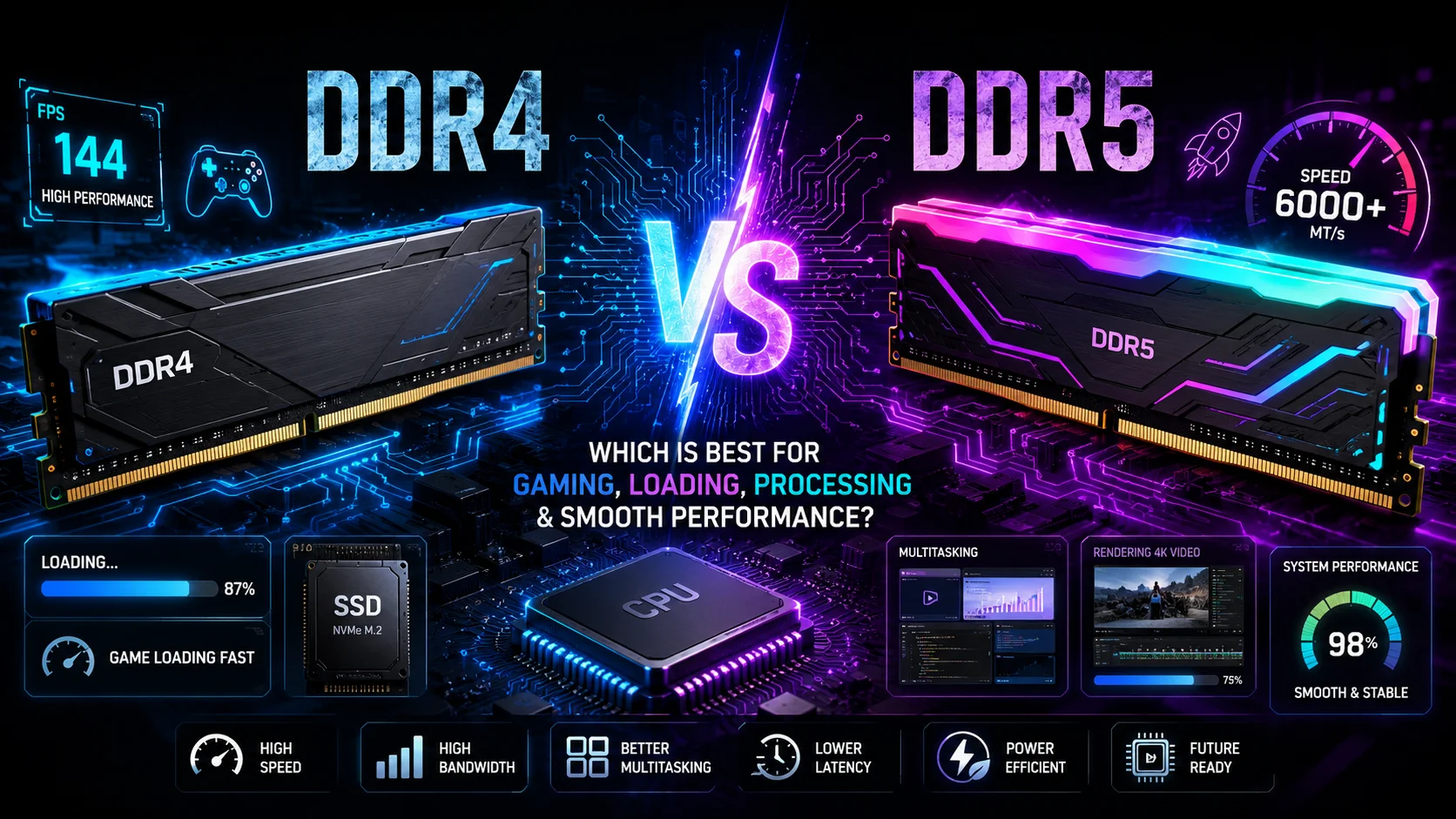
DDR4 vs DDR5 RAM: Which Is Best for Gaming, Loading, Processing, and Smooth Performance?
Introduction
When building a new computer or upgrading an existing one, one of the most important hardware decisions is selecting the right Random Access Memory (RAM). Although the processor and graphics card receive most of the attention, RAM plays a significant role in determining how quickly your computer responds, loads applications, processes data, and handles multitasking.
Today, the two most common memory standards are DDR4 and DDR5. Both are capable of delivering excellent performance, but they differ considerably in terms of speed, bandwidth, efficiency, architecture, and future compatibility. Many users often ask whether upgrading to DDR5 is worth the additional investment or whether DDR4 still provides enough performance for gaming and everyday tasks.
This comprehensive comparison explains every important aspect of both technologies, including gaming performance, loading speed, productivity, power consumption, compatibility, pricing, future-proofing, and overall value. By the end of this guide, you will clearly understand which RAM is the better choice for your specific needs.
What is RAM?
Random Access Memory (RAM) is the temporary working memory of a computer. Unlike an SSD or hard drive that stores data permanently, RAM only stores information while the system is powered on.
Whenever you open a game, edit a video, browse multiple websites, or run software, the required data is first loaded into RAM. The processor then accesses this information much faster than it could from storage devices.
The more RAM available, the more applications your computer can handle simultaneously without slowing down.
Some important functions of RAM include:
- Faster application launching
- Improved multitasking
- Reduced loading delays
- Better gaming responsiveness
- Faster file processing
- Smoother video editing
- Efficient software compilation
- Improved system responsiveness
Without sufficient RAM, even the fastest processor cannot perform at its full potential because it constantly waits for data to become available.
Understanding DDR Memory Technology
DDR stands for Double Data Rate. Each new DDR generation improves memory speed, bandwidth, efficiency, and overall performance.
The evolution of DDR memory has been:
- DDR
- DDR2
- DDR3
- DDR4
- DDR5
Each generation introduces architectural improvements that allow computers to process more information in less time while consuming less power.
What is DDR4 RAM?
DDR4 RAM was introduced in 2014 and quickly became the industry standard for desktop and laptop computers. It offers significantly higher speeds than DDR3 while operating at lower voltage.
DDR4 remains extremely popular because it provides excellent performance, stable operation, wide compatibility, and affordable pricing.
Typical DDR4 specifications include:
- Speed: 2133 MHz to 5333 MHz
- Standard voltage: 1.2V
- Lower heat generation
- Mature technology
- Excellent stability
- Wide motherboard support
For many years, DDR4 has powered millions of gaming PCs, workstations, and office computers around the world.
What is DDR5 RAM?
DDR5 RAM is the latest generation of desktop and laptop memory. It has been designed to support modern processors with significantly higher bandwidth, faster data transfer rates, improved efficiency, and better scalability.
Unlike DDR4, DDR5 introduces multiple architectural improvements that allow processors to access data more efficiently.
Typical DDR5 specifications include:
- Speed: 4800 MHz to over 8400 MHz
- Standard voltage: 1.1V
- Higher bandwidth
- Improved memory management
- Better power efficiency
- Greater future scalability
DDR5 has become the preferred choice for new high-performance computers because it is built to support future software and hardware requirements.
DDR4 vs DDR5: Technical Comparison

Speed
The biggest difference between DDR4 and DDR5 is speed.
DDR4 commonly operates between 3200 MHz and 3600 MHz for gaming systems.
DDR5 starts at 4800 MHz and continues well beyond 8000 MHz.
Higher speed means the processor receives data more quickly, improving performance in demanding applications.
Winner: DDR5
Bandwidth
Bandwidth refers to the amount of information memory can transfer every second.
DDR5 nearly doubles the bandwidth available compared to DDR4.
Higher bandwidth benefits:
- Gaming
- Video editing
- Animation
- Artificial Intelligence workloads
- 3D rendering
- Software development
Winner: DDR5
Latency
Latency measures how quickly RAM responds after receiving a request.
DDR4 generally has lower numerical latency values.
However, because DDR5 runs at much higher frequencies, its real-world performance often compensates for slightly higher latency.
For most users, the difference is barely noticeable.
Winner: Nearly Equal
DDR4 vs DDR5 for Gaming
Gaming performance depends on multiple components, including:
- CPU
- GPU
- RAM
- SSD
- Game optimisation
RAM mainly affects:
- Frame consistency
- Texture loading
- World streaming
- Background multitasking
- Minimum FPS
Older games show very little difference between DDR4 and DDR5.
Modern games, especially those using large open worlds, benefit from DDR5’s increased bandwidth.

Games that benefit include:
- Microsoft Flight Simulator
- Cyberpunk 2077
- Starfield
- Hogwarts Legacy
- Battlefield
- Call of Duty
- Black Myth: Wukong
Average gaming improvements vary from 3% to 15%, depending on the processor and graphics card.
High-end CPUs such as Intel Core Ultra and AMD Ryzen 9000 series benefit more from DDR5.
If you already own a DDR4 gaming PC, upgrading only the RAM usually provides limited improvement.
However, when building a completely new gaming PC, DDR5 is the better investment.
Winner: DDR5
DDR4 vs DDR5 for Loading Speed
Many users assume RAM determines how quickly games load.
In reality, SSD performance has the greatest influence on loading times.
However, RAM still contributes by:
- Holding game assets
- Managing textures
- Reducing loading interruptions
- Supporting asset streaming
DDR5 allows games to access larger amounts of information more efficiently, making transitions smoother.
The difference is generally modest but noticeable in demanding games.
Winner: DDR5
DDR4 vs DDR5 for Processing Performance
Processing tasks include:
- Video editing
- Programming
- Virtual machines
- Graphic design
- CAD software
- Engineering simulations
- Data analysis
- AI workloads
These applications continuously transfer large amounts of information between RAM and the processor.
DDR5’s higher bandwidth allows processors to remain fully utilised.
Professional workloads often experience performance improvements ranging from 10% to 30%.
Large video projects also render faster when paired with DDR5.
Winner: DDR5
DDR4 vs DDR5 for Smooth Multitasking
Modern users rarely run only one application.
A typical workflow may include:
- Browser with many tabs
- Music streaming
- Office software
- Video calls
- File downloads
- Photo editing
- Background antivirus
DDR5 handles multiple simultaneous workloads more efficiently because it transfers information faster.
Users experience:
- Faster switching between applications
- Reduced lag
- Improved responsiveness
- Better background performance
Winner: DDR5
Power Consumption
Energy efficiency is becoming increasingly important.
DDR4 operates at approximately 1.2 volts.
DDR5 reduces this to approximately 1.1 volts while delivering much higher performance.
Lower voltage means:
- Reduced power consumption
- Lower heat generation
- Better laptop battery life
- Improved efficiency
Although the difference may seem small, it becomes significant in large systems and mobile devices.
Winner: DDR5
Capacity Support
Modern software consumes much more memory than software from five years ago.
DDR4 commonly supports:
- 8GB
- 16GB
- 32GB
- 64GB
DDR5 supports significantly larger capacities.
This is especially useful for:
- Professional editing
- AI development
- Scientific computing
- Enterprise servers
- Virtualisation
Winner: DDR5
Architecture Improvements in DDR5
DDR5 introduces several important technological improvements beyond higher speed.
Dual Independent Channels
DDR5 divides each memory module into two independent channels.
This improves efficiency by allowing multiple operations simultaneously.
On-Module Power Management
Unlike DDR4, DDR5 includes onboard power management circuitry.
Benefits include:
- Better voltage regulation
- Improved stability
- Higher overclocking potential
Improved Burst Length
DDR5 increases burst length, allowing more data to be transferred during each memory operation.
This improves performance in modern applications.
Higher Memory Density
DDR5 memory chips store significantly more data.
This allows manufacturers to create much larger RAM modules.
Compatibility
One important consideration is compatibility.
DDR4 and DDR5 are not physically compatible.
A DDR4 motherboard only supports DDR4 memory.
A DDR5 motherboard only supports DDR5 memory.
Likewise:
- DDR4 CPUs require supported motherboards.
- DDR5 CPUs require compatible chipsets.
Before purchasing RAM, always verify motherboard compatibility.
Laptop RAM vs Desktop RAM: What Is the Difference?
When upgrading your computer’s memory, one common question is whether laptop RAM and desktop RAM are the same. While both serve the same primary purpose of temporarily storing data for quick access by the processor, they are designed differently to meet the specific requirements of laptops and desktop computers. They differ in terms of physical size, form factor, compatibility, power consumption, cooling, upgradeability, and overall performance potential.
Modern laptops and desktops use either DDR4 or DDR5 memory technology. However, even if both use the same DDR generation, the RAM modules are not interchangeable because they have different physical dimensions and connectors. Understanding these differences will help you choose the correct memory module for your computer and avoid compatibility issues during an upgrade.
What Is Laptop RAM?
Laptop RAM is specifically designed for portable computers where internal space is limited. It uses a compact memory module known as SO-DIMM (Small Outline Dual In-Line Memory Module). These modules are much smaller than desktop RAM, allowing manufacturers to build thinner and lighter laptops without compromising performance.
Laptop RAM is also designed with power efficiency in mind. Since laptops rely on battery power, memory modules are engineered to consume less electricity while maintaining stable performance. Lower power consumption also helps reduce heat generation, which is important in the compact design of modern laptops.
Today’s laptops commonly use DDR4 SO-DIMM or DDR5 SO-DIMM memory. Depending on the laptop model, users can install memory capacities ranging from 8GB for basic tasks to 64GB or more in high-end gaming and professional workstations.
What Is Desktop RAM?
Desktop RAM is built for desktop computers, which have much larger internal space and more effective cooling systems. Desktop memory modules use the DIMM (Dual In-Line Memory Module) form factor, making them significantly longer than laptop memory.
Desktop RAM is easier to install, replace, and upgrade because desktop motherboards provide more accessible memory slots. In addition, desktop memory often includes premium features such as large aluminium heat spreaders, RGB lighting, and support for advanced overclocking technologies.
Desktop computers are widely used for gaming, video editing, programming, engineering software, 3D rendering, and professional content creation because they can support higher memory capacities and faster memory speeds.
Physical Size and Form Factor
The most noticeable difference between laptop and desktop RAM is their physical size.
Desktop RAM modules measure approximately 133.35 mm in length, whereas laptop SO-DIMM modules are only about 69.6 mm long. This size difference allows laptop memory to fit inside compact devices while desktop memory takes advantage of the larger space available in desktop cases.
Because of these physical differences, desktop RAM cannot fit into a laptop, and laptop RAM cannot fit into a desktop motherboard.
Different Memory Slots
Laptop and desktop motherboards use completely different memory slots.
Desktop computers use DIMM slots, while laptops use SO-DIMM slots. The connector design, notch position, locking mechanism, and overall dimensions are different, preventing users from installing the wrong memory type.
Before purchasing RAM, always check your motherboard or laptop specifications to ensure compatibility.
Performance Comparison
Many people assume desktop RAM is significantly faster than laptop RAM, but this is not always true.
If both memory modules have the same specifications—for example, DDR5 5600 MHz—their memory performance is generally very similar. Both deliver comparable bandwidth and responsiveness under identical conditions.

However, desktop systems usually achieve better overall performance because they often include:
- More powerful processors
- Dedicated high-performance graphics cards
- Better cooling systems
- Higher overclocking capabilities
Therefore, while the RAM itself performs similarly, desktop computers often outperform laptops due to their superior hardware.
Power Consumption
Laptop RAM is specifically designed to consume less power because laptops depend on battery life.
Lower power consumption offers several advantages:
- Longer battery backup
- Reduced heat generation
- Improved energy efficiency
- Better thermal management
Desktop RAM also operates efficiently, but energy saving is less critical because desktop computers receive continuous power from the power supply unit (PSU).
Cooling and Heat Management
Desktop computers have much better cooling systems than laptops.
A desktop PC typically includes:
- Large CPU air coolers
- Multiple case fans
- Better airflow
- Liquid cooling options
These cooling systems allow desktop RAM to operate at higher frequencies while maintaining stable temperatures.
Laptops, on the other hand, have very limited airflow due to their compact design. Consequently, laptop RAM is designed to operate efficiently within tighter thermal limits to ensure long-term reliability.
Upgrade Options
One of the biggest advantages of desktop computers is their excellent upgrade flexibility.
Most desktop motherboards include:
- Two RAM slots
- Four RAM slots
- Eight RAM slots on professional workstation platforms
This allows users to increase memory capacity whenever required.
Laptop upgrade options vary depending on the model. Some laptops include two SO-DIMM slots, while others have only one. Many modern ultra-thin laptops feature soldered RAM, meaning the memory is permanently attached to the motherboard and cannot be upgraded.
For users who expect to expand memory in the future, desktop computers offer considerably greater flexibility.
Overclocking Support
Desktop RAM often supports advanced memory overclocking technologies such as Intel XMP (Extreme Memory Profile) and AMD EXPO (Extended Profiles for Overclocking).
These technologies allow users to increase memory speed beyond standard settings with minimal configuration, resulting in improved performance for gaming and professional applications.
Laptop memory generally operates at manufacturer-defined speeds and offers little or no overclocking capability because laptops prioritise stability, thermal efficiency, and battery life.
Memory Capacity
Desktop computers usually support much larger memory capacities than laptops.
Common desktop configurations include:
- 16GB
- 32GB
- 64GB
- 128GB
- 192GB or more on workstation systems
Typical laptop configurations include:
- 8GB
- 16GB
- 32GB
- 64GB
Although premium workstation laptops may support larger capacities, desktop systems remain the better option for users requiring extremely high amounts of memory.
Gaming Performance
When comparing gaming performance, the type of RAM—laptop or desktop—is generally less important than the RAM generation, speed, capacity, processor, and graphics card.
A gaming laptop equipped with DDR5 5600 MHz memory can deliver excellent gaming performance.
Similarly, a desktop using the same DDR5 specifications will achieve comparable memory performance.
However, desktop gaming systems generally achieve higher frame rates because they can accommodate:
- More powerful processors
- Higher-end graphics cards
- Better cooling
- Greater upgrade flexibility
Therefore, any performance difference is usually caused by the overall hardware platform rather than the RAM itself.
Which One Should You Choose?
The correct choice depends entirely on the type of computer you own and your intended use.
Choose Laptop RAM if:
- You are upgrading a notebook or portable workstation.
- Battery efficiency is important.
- You need a lightweight and portable computer.
Choose Desktop RAM if:
- You own or are building a desktop PC.
- You want maximum performance.
- You require easier upgrades in the future.
- You plan to overclock your memory.
Price Comparison
DDR4 remains less expensive because it has been on the market for many years.
Advantages of DDR4 pricing include:
- Affordable upgrades
- Lower motherboard costs
- Large second-hand market
DDR5 prices have steadily decreased and now offer much better value than during their launch period.
For users purchasing an entirely new system, the additional investment is often worthwhile.
Future-Proofing
Technology evolves rapidly.
New processors are increasingly optimised for DDR5.
Software developers continue designing applications that benefit from greater memory bandwidth.
Game engines also continue increasing memory requirements.
Purchasing DDR5 today provides better long-term upgrade potential.
DDR4 remains an excellent technology but is approaching the end of its mainstream lifecycle.
Which RAM Should Different Users Choose?
Casual Users
If you primarily browse the internet, watch videos, use Microsoft Office, and perform everyday computing, DDR4 continues to provide excellent value.
Students
Students using educational software, online classes, programming tools, and moderate multitasking will find DDR4 sufficient, although DDR5 offers better longevity for future upgrades.
Gamers
Gamers building a completely new PC should strongly consider DDR5.
It delivers better performance in modern games and provides greater upgrade potential for future graphics cards and processors.
Content Creators
Video editors, graphic designers, photographers, animators, and 3D artists benefit significantly from DDR5’s increased bandwidth.
Rendering, exporting, and preview generation become noticeably faster.
Software Developers
Developers running multiple virtual machines, containers, large integrated development environments, and testing environments will appreciate DDR5’s improved responsiveness.
Professional Workstations
Engineering applications, CAD software, artificial intelligence, simulation tools, and scientific workloads benefit greatly from DDR5.
How Much RAM Should You Buy?
Capacity is often more important than speed.
Recommended capacities include:
- 8GB – Basic computing
- 16GB – General gaming and office work
- 32GB – Professional gaming, streaming, editing
- 64GB – High-end content creation and development
- 128GB or more – Enterprise and specialised professional workloads
For most modern users, 16GB is the minimum recommended capacity, while 32GB offers the best balance between performance and future readiness.
Advantages of DDR4
- Lower purchase cost
- Excellent stability
- Wide motherboard compatibility
- Ideal for budget builds
- Mature technology
- Sufficient for most current applications
Advantages of DDR5
- Much higher speed
- Greater bandwidth
- Better multitasking
- Improved gaming performance
- Lower power consumption
- Larger memory capacities
- Enhanced architecture
- Better future compatibility
DDR4 vs DDR5: Final Verdict
Choosing between DDR4 and DDR5 depends largely on your budget, existing hardware, and long-term plans.
If you already own a well-performing DDR4 system, upgrading only to DDR5 is rarely cost-effective because it requires a new motherboard and, in many cases, a new processor. In this situation, investing in a faster SSD, a better graphics card, or increasing your existing DDR4 capacity may provide greater value.
However, if you are building a new desktop PC in 2026 or planning a system that will remain relevant for several years, DDR5 is the clear winner. Its significantly higher speeds, increased bandwidth, improved efficiency, better multitasking capabilities, and support for future processors make it the smarter long-term investment.
For gaming, professional content creation, software development, video editing, and demanding productivity tasks, DDR5 consistently delivers better overall performance. As software and games continue to evolve, its advantages are expected to become even more noticeable.
In summary:
- Choose DDR4 if you want an affordable upgrade for an existing compatible system.
- Choose DDR5 if you are building a new PC and want the best combination of performance, efficiency, and future-proofing.
While DDR4 remains a dependable and capable memory standard, DDR5 represents the future of desktop computing, offering the speed and scalability needed for next-generation gaming, faster loading, smoother processing, and a more responsive computing experience.
Computer Engineering terminologies Part 1
Check out www.globaledutechpro.com for Educational posts