
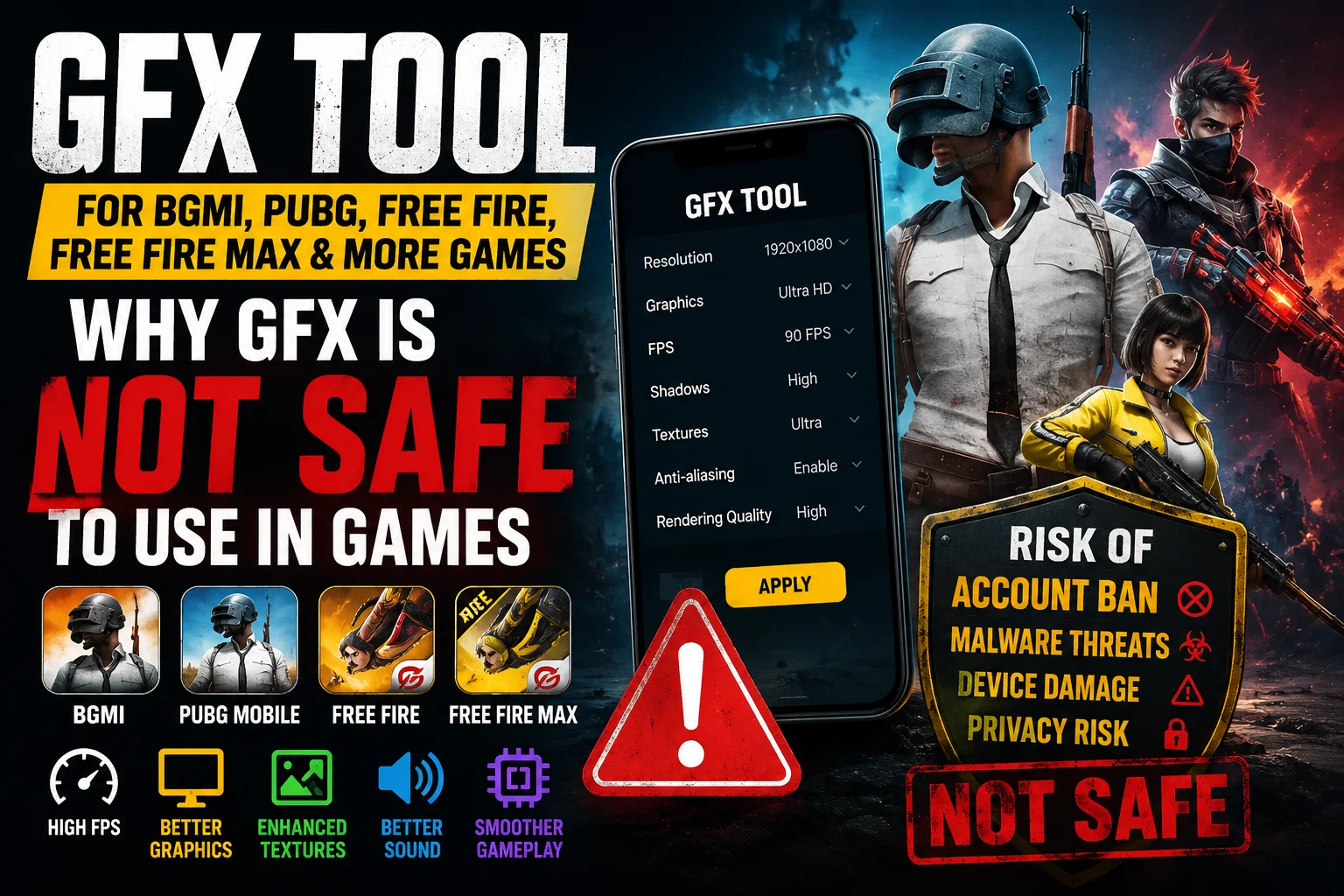
Why GFX is Not Safe to Use in Games: Complete Guide to GFX Tools for BGMI, PUBG, Free Fire, Free Fire MAX and Other Games
If you are a mobile gamer you should know this “Why GFX is not safe to use in Games”, you have probably heard about GFX Tools. Many players use these applications to unlock higher FPS, improve graphics, change textures, reduce lag, and customise game settings that are not available inside the game.
However, there is one important question every gamer should ask before installing any GFX Tool.
Why GFX is not safe to use in Games?
Why GFX is not safe to use in Games – This is one of the most searched questions among BGMI, PUBG Mobile, Free Fire, Free Fire MAX, Call of Duty Mobile, New State Mobile, and other Android game players.
The simple answer is that although GFX Tools can modify game settings to improve visual quality or performance, they also interfere with the normal behaviour of the game. This may violate the game’s Terms of Service, increase the risk of account suspension, create security concerns, and sometimes even reduce device stability.
In this detailed guide, you will learn how GFX Tools actually work, why they are considered risky, their advantages and disadvantages, and safer alternatives to improve gaming performance without risking your account.

What is a GFX Tool?
A GFX Tool is a third-party application that changes or forces graphical settings of a game. Normally, mobile games automatically choose graphics quality based on your device specifications.
A GFX Tool attempts to override these default settings.
It allows players to manually configure options such as:
- Resolution
- Graphics Quality
- FPS (Frames Per Second)
- Texture Quality
- Shadows
- Anti-Aliasing
- Rendering Mode
- Sound Processing
- GPU Optimisation
- Memory Allocation
Popular games where players commonly use GFX Tools include:
- BGMI
- PUBG Mobile
- Free Fire
- Free Fire MAX
- Call of Duty Mobile
- New State Mobile
- Mobile Legends
- Arena Breakout
- Other Unreal Engine and Unity Engine games
Although these tools appear helpful, understanding Why GFX is not safe to use in Games is extremely important before installing one.
How Does a GFX Tool Actually Work?
Many gamers believe a GFX Tool magically increases graphics quality or FPS.
That is not true.
A GFX Tool does not upgrade your phone’s hardware.
Instead, it changes how the game uses your existing hardware.
The process generally works like this.
1. Reading Device Information
When you launch a GFX Tool, it first reads information such as:
- RAM
- Processor
- GPU
- Android version
- Screen resolution
- Refresh rate
- Storage
Based on this information, the tool decides which settings can be modified.
2. Editing Game Configuration Files
Many games store graphics settings inside configuration files.
These files may contain settings like:
- Render Quality
- Texture Resolution
- Shadow Quality
- FPS Limit
- Anti-Aliasing
- Draw Distance
- LOD (Level of Detail)
The GFX Tool edits these values before launching the game.
Instead of allowing the game to select recommended settings, the modified configuration forces different values.
3. Forcing Hidden Graphics Options
Some games hide Ultra Graphics or Extreme FPS because the developers believe your device cannot handle them.
A GFX Tool attempts to unlock these hidden settings.
Examples include:
- 90 FPS
- 120 FPS
- HDR Graphics
- Ultra HD
- Extreme Shadows
- Maximum Rendering Distance
Whether these settings actually work depends entirely on your device.
4. Changing Rendering Parameters
Games use rendering pipelines such as:
- OpenGL ES
- Vulkan
Some GFX Tools switch rendering modes to improve performance.
In some cases, Vulkan performs better.
On other devices, OpenGL provides smoother gameplay.
The result depends on your GPU drivers and hardware compatibility.
5. Texture Compression
Textures consume significant GPU memory.
Some GFX Tools reduce texture size.
Benefits may include:
- Lower RAM usage
- Faster loading
- Better FPS
However, visual quality becomes lower.
6. FPS Unlocking
Many games intentionally cap FPS.
Examples:
- 30 FPS
- 40 FPS
- 60 FPS
- 90 FPS
- 120 FPS
A GFX Tool attempts to remove these limits.
But unlocking FPS does not guarantee that your phone can actually maintain those frame rates.
If the processor cannot handle it, FPS will still drop.
7. Memory Optimisation
Some GFX applications try to:
- Close background apps
- Clear RAM
- Empty temporary cache
- Reduce memory usage
These features are often basic Android functions rather than advanced optimisation.
Can a GFX Tool Increase Graphics?
The answer is both Yes and No.
It can only enable graphics settings already available within the game engine.
It cannot:
- Upgrade your GPU
- Increase RAM
- Improve processor speed
- Add
Why GFX is Not Safe to Use in Games: Complete Guide to GFX Tools for BGMI, PUBG, Free Fire, Free Fire MAX and Other Games
If you are a mobile gamer, you have probably heard about GFX Tools. Many players use these applications to unlock higher FPS, improve graphics, change textures, reduce lag, and customise game settings that are not available inside the game.
However, there is one important question every gamer should ask before installing any GFX Tool.
Why GFX is not safe to use in Games?
Why GFX is not safe to use in Games – This is one of the most searched questions among BGMI, PUBG Mobile, Free Fire, Free Fire MAX, Call of Duty Mobile, New State Mobile, and other Android game players. So, that is “Why GFX is not safe to use in Games”
The simple answer is that although GFX Tools can modify game settings to improve visual quality or performance, they also interfere with the normal behaviour of the game. This may violate the game’s Terms of Service, increase the risk of account suspension, create security concerns, and sometimes even reduce device stability.
In this detailed guide, you will learn how GFX Tools actually work, why they are considered risky, their advantages and disadvantages, and safer alternatives to improve gaming performance without risking your account.
What is a GFX Tool?
A GFX Tool is a third-party application that changes or forces graphical settings of a game. Normally, mobile games automatically choose graphics quality based on your device specifications.
A GFX Tool attempts to override these default settings.
It allows players to manually configure options such as:
- Resolution
- Graphics Quality
- FPS (Frames Per Second)
- Texture Quality
- Shadows
- Anti-Aliasing
- Rendering Mode
- Sound Processing
- GPU Optimisation
- Memory Allocation
Popular games where players commonly use GFX Tools include:
- BGMI
- PUBG Mobile
- Free Fire
- Free Fire MAX
- Call of Duty Mobile
- New State Mobile
- Mobile Legends
- Arena Breakout
- Other Unreal Engine and Unity Engine games
Although these tools appear helpful, understanding Why GFX is not safe to use in Games is extremely important before installing one.
How Does a GFX Tool Actually Work?
Many gamers believe a GFX Tool magically increases graphics quality or FPS.
That is not true.
A GFX Tool does not upgrade your phone’s hardware.
Instead, it changes how the game uses your existing hardware.
The process generally works like this.
1. Reading Device Information
When you launch a GFX Tool, it first reads information such as:
- RAM
- Processor
- GPU
- Android version
- Screen resolution
- Refresh rate
- Storage
Based on this information, the tool decides which settings can be modified.
2. Editing Game Configuration Files
Many games store graphics settings inside configuration files.
These files may contain settings like:
- Render Quality
- Texture Resolution
- Shadow Quality
- FPS Limit
- Anti-Aliasing
- Draw Distance
- LOD (Level of Detail)
The GFX Tool edits these values before launching the game.
Instead of allowing the game to select recommended settings, the modified configuration forces different values.
3. Forcing Hidden Graphics Options
Some games hide Ultra Graphics or Extreme FPS because the developers believe your device cannot handle them.
A GFX Tool attempts to unlock these hidden settings.
Examples include:
- 90 FPS
- 120 FPS
- HDR Graphics
- Ultra HD
- Extreme Shadows
- Maximum Rendering Distance
Whether these settings actually work depends entirely on your device.
4. Changing Rendering Parameters
Games use rendering pipelines such as:
- OpenGL ES
- Vulkan
Some GFX Tools switch rendering modes to improve performance.
In some cases, Vulkan performs better.
On other devices, OpenGL provides smoother gameplay.
The result depends on your GPU drivers and hardware compatibility.
5. Texture Compression
Textures consume significant GPU memory.
Some GFX Tools reduce texture size.
Benefits may include:
- Lower RAM usage
- Faster loading
- Better FPS
However, visual quality becomes lower.
6. FPS Unlocking
Many games intentionally cap FPS.
Examples:
- 30 FPS
- 40 FPS
- 60 FPS
- 90 FPS
- 120 FPS
A GFX Tool attempts to remove these limits.
But unlocking FPS does not guarantee that your phone can actually maintain those frame rates.
If the processor cannot handle it, FPS will still drop.
7. Memory Optimisation
Some GFX applications try to:
- Close background apps
- Clear RAM
- Empty temporary cache
- Reduce memory usage
These features are often basic Android functions rather than advanced optimisation.
Can a GFX Tool Increase Graphics?
The answer is both Yes and No.
It can only enable graphics settings already available within the game engine.
It cannot:
- Upgrade your GPU
- Increase RAM
- Improve processor speed
- Add new textures
- Increase display resolution beyond hardware limits
It simply forces different settings.
Therefore, if your phone lacks sufficient hardware capability, enabling Ultra HD graphics may actually reduce FPS instead of improving gameplay.
Can a GFX Tool Improve FPS?
Sometimes.
A GFX Tool may improve FPS by:
- Lowering resolution
- Reducing shadow quality
- Lowering texture quality
- Disabling visual effects
- Simplifying rendering
Since the GPU has less work to perform, frame rates may increase.
However, enabling maximum graphics and maximum FPS simultaneously often overloads weaker devices.
How Does a GFX Tool Affect Sound?
Many people assume GFX Tools improve sound quality.
In reality, they rarely change audio processing.
Some tools may:
- Reduce audio latency
- Disable unnecessary effects
- Adjust audio buffers
However, actual sound quality depends mainly on:
- Game engine
- Device audio hardware
- Headphones
- Android audio drivers
How Does a GFX Tool Affect Textures?
Textures are image files applied to objects.
Higher textures provide:
- Better detail
- Sharper surfaces
- More realistic environments
Higher texture quality also requires:
- More RAM
- More GPU memory
- Faster storage
A GFX Tool simply changes which texture quality level the game loads.
It does not create new textures.
Why GFX is Not Safe to Use in Games
This is the most important section.
Understanding Why GFX is not safe to use in Games can help protect your gaming account and device.
1. Violation of Game Policies
Most online multiplayer games prohibit unauthorised third-party applications that modify gameplay settings or game files. here you will know why I said “Why GFX is not safe to use in Games”
Even if a GFX Tool does not directly cheat, the game’s anti-cheat system may detect unusual behaviour.
This could lead to:
- Temporary suspension
- Permanent account ban
- Matchmaking restrictions
2. Security Risks
Many unofficial GFX Tools request permissions such as:
- Storage access
- Media access
- Accessibility permissions
- Overlay permissions
Some poorly developed applications may collect unnecessary data or include malicious code.
Downloading GFX Tools from unknown sources increases security risks.
3. Malware and Fake Applications
Many fake GFX Tools available online contain:
- Spyware
- Adware
- Malware
- Hidden background services
These applications may display excessive advertisements or collect personal information.
4. Device Instability
Forcing unsupported graphics settings can result in:
- Game crashes
- Screen freezing
- Random restarts
- System lag
- Overheating
High graphics settings demand greater processing power, which may exceed your device’s capabilities.
5. Battery Drain
Running higher graphics settings increases:
- CPU usage
- GPU usage
- Display workload
As a result:
- Battery drains faster
- Device temperature rises
- Long gaming sessions become difficult
6. Excessive Heating
Higher FPS and Ultra Graphics require continuous processing.
This causes:
- Higher temperatures
- Thermal throttling
- Reduced processor speed
- Lower gaming performance after prolonged gameplay
Ironically, forcing maximum graphics can sometimes reduce overall FPS.
7. No Guaranteed Performance Improvement
Many players expect dramatic improvements after installing a GFX Tool.
In reality:
- Some phones improve.
- Some phones show no difference.
- Some phones perform worse.
Performance depends entirely on hardware capability.
8. Compatibility Problems
Game developers regularly release updates.
A GFX Tool may not support the latest version.
This can cause:
- Crashes
- Login issues
- Graphics glitches
- Black screen
- Missing textures
These compatibility issues are another reason Why GFX is not safe to use in Games.
Can You Get Banned for Using a GFX Tool?
Yes.
Whether a player receives a ban depends on the game’s detection systems and policies.
Many online games prohibit third-party software that modifies game behaviour or configuration outside approved settings.
Even if the tool is intended only for graphics adjustments, using unofficial software can still expose your account to disciplinary action.
For competitive online games, it is always safer to play using the settings provided within the game itself.
Advantages of GFX Tools
Although there are risks, GFX Tools do offer some benefits.
These include:
- Higher FPS on supported devices
- Reduced lag by lowering graphics quality
- Manual graphics control
- Custom resolution settings
- Better optimisation for some older phones
- More control over rendering options
These advantages explain why many players try them despite the potential downsides.
Disadvantages of GFX Tools
The disadvantages are significant.
These include:
- Account suspension risk
- Security concerns
- Device overheating
- Increased battery consumption
- Compatibility issues
- Game crashes
- Reduced stability
- Possible malware from unofficial sources
- Violation of game policies
This is why understanding Why GFX is not safe to use in Games is essential before deciding to install one.
Safe Alternatives to Improve Gaming Performance
Instead of using GFX Tools, consider these safer methods.
Update Your Game
Developers frequently optimise games for newer devices and fix performance issues.
Keep Android Updated
Operating system updates often include GPU driver improvements and performance enhancements.
Use Built-in Graphics Settings
Most modern games allow players to adjust:
- FPS
- Graphics Quality
- Shadows
- Effects
- Brightness
These settings are officially supported.
Enable Game Mode
Many smartphone manufacturers include dedicated gaming modes that optimise CPU, GPU, RAM, and notifications without modifying game files.
Free Up Storage
Keeping sufficient free storage helps Android manage temporary files more efficiently, reducing lag in some cases.
Close Background Applications
Closing unnecessary apps frees RAM and processor resources for gaming.
Reduce Device Temperature
Avoid gaming while charging and play in a cool environment to minimise thermal throttling.
Common Myths About GFX Tools
Myth 1: GFX Tools Increase RAM
False.
They cannot increase physical RAM.
Myth 2: GFX Tools Upgrade GPU
False.
Your GPU hardware remains exactly the same.
Myth 3: GFX Tools Double FPS
False.
FPS depends mainly on your processor and GPU.
Myth 4: GFX Tools Never Cause Bans
False.
Many games discourage or prohibit unauthorised third-party modification tools.
Myth 5: Higher Graphics Always Mean Better Gameplay
False.
Competitive gamers often lower graphics settings intentionally to achieve smoother gameplay and more consistent frame rates.
Should You Use a GFX Tool?
The decision depends on your priorities.
If you value account safety, device security, and long-term stability, using only the game’s built-in graphics options is generally the better choice.
If you experiment with unofficial third-party tools, understand the potential risks, including policy violations, instability, and possible security issues.
Ultimately, no GFX Tool can replace capable hardware. A phone with a powerful processor, efficient GPU, sufficient RAM, and good cooling will almost always deliver a better gaming experience than relying on software tweaks alone.
Can a GFX Tool Improve FPS?
Sometimes.
A GFX Tool may improve FPS by:
- Lowering resolution
- Reducing shadow quality
- Lowering texture quality
- Disabling visual effects
- Simplifying rendering
Since the GPU has less work to perform, frame rates may increase.
However, enabling maximum graphics and maximum FPS simultaneously often overloads weaker devices.
How Does a GFX Tool Affect Sound?
Many people assume GFX Tools improve sound quality.
In reality, they rarely change audio processing.
Some tools may:
- Reduce audio latency
- Disable unnecessary effects
- Adjust audio buffers
However, actual sound quality depends mainly on:
- Game engine
- Device audio hardware
- Headphones
- Android audio drivers
How Does a GFX Tool Affect Textures?
Textures are image files applied to objects.
Higher textures provide:
- Better detail
- Sharper surfaces
- More realistic environments
Higher texture quality also requires:
- More RAM
- More GPU memory
- Faster storage
A GFX Tool simply changes which texture quality level the game loads.
It does not create new textures.
Why GFX is Not Safe to Use in Games
This is the most important section.
Understanding Why GFX is not safe to use in Games can help protect your gaming account and device.
1. Violation of Game Policies
Most online multiplayer games prohibit unauthorised third-party applications that modify gameplay settings or game files.
Even if a GFX Tool does not directly cheat, the game’s anti-cheat system may detect unusual behaviour.
This could lead to:
- Temporary suspension
- Permanent account ban
- Matchmaking restrictions
2. Security Risks

Many unofficial GFX Tools request permissions such as:
- Storage access
- Media access
- Accessibility permissions
- Overlay permissions
Some poorly developed applications may collect unnecessary data or include malicious code.
Downloading GFX Tools from unknown sources increases security risks.
3. Malware and Fake Applications
Many fake GFX Tools available online contain:
- Spyware
- Adware
- Malware
- Hidden background services
These applications may display excessive advertisements or collect personal information.
4. Device Instability
Forcing unsupported graphics settings can result in:
- Game crashes
- Screen freezing
- Random restarts
- System lag
- Overheating
High graphics settings demand greater processing power, which may exceed your device’s capabilities.
5. Battery Drain
Running higher graphics settings increases:
- CPU usage
- GPU usage
- Display workload
As a result:
- Battery drains faster
- Device temperature rises
- Long gaming sessions become difficult
6. Excessive Heating
Higher FPS and Ultra Graphics require continuous processing.
This causes:
- Higher temperatures
- Thermal throttling
- Reduced processor speed
- Lower gaming performance after prolonged gameplay
Ironically, forcing maximum graphics can sometimes reduce overall FPS.
7. No Guaranteed Performance Improvement
Many players expect dramatic improvements after installing a GFX Tool.
In reality:
- Some phones improve.
- Some phones show no difference.
- Some phones perform worse.
Performance depends entirely on hardware capability.
8. Compatibility Problems
Game developers regularly release updates.
A GFX Tool may not support the latest version.
This can cause:
- Crashes
- Login issues
- Graphics glitches
- Black screen
- Missing textures
These compatibility issues are another reason Why GFX is not safe to use in Games.
Can You Get Banned for Using a GFX Tool?

Yes.
Whether a player receives a ban depends on the game’s detection systems and policies.
Many online games prohibit third-party software that modifies game behaviour or configuration outside approved settings.
Even if the tool is intended only for graphics adjustments, using unofficial software can still expose your account to disciplinary action.
For competitive online games, it is always safer to play using the settings provided within the game itself.
Advantages of GFX Tools
Although there are risks, GFX Tools do offer some benefits.
These include:
- Higher FPS on supported devices
- Reduced lag by lowering graphics quality
- Manual graphics control
- Custom resolution settings
- Better optimisation for some older phones
- More control over rendering options
These advantages explain why many players try them despite the potential downsides.
Disadvantages of GFX Tools
The disadvantages are significant.
These include:
- Account suspension risk
- Security concerns
- Device overheating
- Increased battery consumption
- Compatibility issues
- Game crashes
- Reduced stability
- Possible malware from unofficial sources
- Violation of game policies
This is why understanding Why GFX is not safe to use in Games is essential before deciding to install one.
Safe Alternatives to Improve Gaming Performance
Instead of using GFX Tools, consider these safer methods.
Update Your Game
Developers frequently optimise games for newer devices and fix performance issues.
Keep Android Updated
Operating system updates often include GPU driver improvements and performance enhancements.
Use Built-in Graphics Settings
Most modern games allow players to adjust:
- FPS
- Graphics Quality
- Shadows
- Effects
- Brightness
These settings are officially supported.
Enable Game Mode
Many smartphone manufacturers include dedicated gaming modes that optimise CPU, GPU, RAM, and notifications without modifying game files.
Free Up Storage
Keeping sufficient free storage helps Android manage temporary files more efficiently, reducing lag in some cases.
Close Background Applications
Closing unnecessary apps frees RAM and processor resources for gaming.
Reduce Device Temperature
Avoid gaming while charging and play in a cool environment to minimise thermal throttling.
Common Myths About GFX Tools
Myth 1: GFX Tools Increase RAM
False.
They cannot increase physical RAM.
Myth 2: GFX Tools Upgrade GPU
False.
Your GPU hardware remains exactly the same.
Myth 3: GFX Tools Double FPS
False.
FPS depends mainly on your processor and GPU.
Myth 4: GFX Tools Never Cause Bans
False.
Many games discourage or prohibit unauthorised third-party modification tools.
Myth 5: Higher Graphics Always Mean Better Gameplay
False.
Competitive gamers often lower graphics settings intentionally to achieve smoother gameplay and more consistent frame rates.
Should You Use a GFX Tool?
The decision depends on your priorities.
If you value account safety, device security, and long-term stability, using only the game’s built-in graphics options is generally the better choice.
If you experiment with unofficial third-party tools, understand the potential risks, including policy violations, instability, and possible security issues.
Ultimately, no GFX Tool can replace capable hardware. A phone with a powerful processor, efficient GPU, sufficient RAM, and good cooling will almost always deliver a better gaming experience than relying on software tweaks alone.
Final Thoughts
The question “Why GFX is not safe to use in Games” has a straightforward answer.
If your goal is stable FPS, smooth gameplay, and long-term account safety, avoiding unofficial GFX Tools remains the most sensible choice. That is exactly Why GFX is not safe to use in Games, and why experienced players recommend relying on official optimisation features instead of third-party modifications. So that’s “Why GFX is not safe to use in Games” is not safe.
After understanding how GFX Tools work, it becomes clear Why GFX is not safe to use in Games. While these third-party applications may promise higher FPS, better graphics, improved textures, or smoother gameplay, they also come with significant risks. They can violate game policies, expose your device to security threats, cause overheating, reduce stability, and may even lead to account suspension or permanent bans.So that’s “Why GFX is not safe to use in Games” is not safe.
Many players believe GFX Tools can magically improve gaming performance, but the truth is they only modify or force settings that your device may already support. They cannot upgrade your processor, GPU, RAM, or display quality. For the safest and most reliable gaming experience, it is always better to use the official graphics options provided by the game developers.
So, that’s Why GFX is not safe to use in Games. Understanding Why GFX is not safe to use in Games helps you make informed decisions and protect both your gaming account and your device. If your priority is long-term account safety, stable performance, and secure gameplay, avoiding unofficial GFX Tools is the smartest choice.
In short, Why GFX is not safe to use in Games is no longer just a common question—it is something every mobile gamer should understand before installing any third-party optimisation tool. So, that’s Why GFX is not safe to use in Games.
Frequently Asked Questions (FAQs)
1. Why GFX is not safe to use in Games?
Why GFX is not safe to use in Games because, GFX Tools are third-party applications that modify game settings or configuration files. Since many online games prohibit such modifications, using them may increase the risk of account suspension, security issues, or game instability. So that’s “Why GFX is not safe to use in Games” is not safe.
2. Why GFX is not safe to use in Games like BGMI and PUBG?
Why GFX is not safe to use in Games because, Games like BGMI and PUBG have strict anti-cheat systems that can detect unauthorised third-party applications. Even if a GFX Tool is used only to change graphics settings, it may violate the game’s Terms of Service. So that’s “Why GFX is not safe to use in Games” is not safe.
3. Why GFX is not safe to use in Games on Android devices?
Why GFX is not safe to use in Games because, Some GFX Tools request unnecessary permissions or are downloaded from unofficial sources. This can expose your Android device to malware, spyware, or other security risks. So that’s “Why GFX is not safe to use in Games” is not safe.
4. Why GFX is not safe to use in Games for competitive players?
Why GFX is not safe to use in Games because, Competitive players should avoid GFX Tools because they may lead to account restrictions or bans. Using only the official in-game graphics settings is the safest option. So that’s “Why GFX is not safe to use in Games” is not safe.
5. Why GFX is not safe to use in Games even if it improves FPS?
Why GFX is not safe to use in Games because, Although a GFX Tool may improve FPS by lowering graphics quality or changing rendering settings, it cannot upgrade your phone’s hardware and may still violate game policies or cause overheating and instability. So that’s “Why GFX is not safe to use in Games” is not safe.
6. Does a GFX Tool really increase FPS?
A GFX Tool can sometimes improve FPS by reducing graphics quality and resolution, but the actual performance depends on your device’s processor, GPU, and available RAM. So that’s “Why GFX is not safe to use in Games” is not safe.
7. Can a GFX Tool improve graphics quality on any smartphone?
No. A GFX Tool cannot enhance your phone’s hardware. It can only unlock or force graphics settings that your device may already support.
8. Can I get banned for using a GFX Tool?
Yes. Many online multiplayer games discourage or prohibit the use of third-party applications that modify game behaviour, so there is always a risk of account suspension or permanent bans.
9. Which games are commonly associated with GFX Tools?
GFX Tools are commonly used with BGMI, PUBG Mobile, Free Fire, Free Fire MAX, Call of Duty Mobile, and several other Android games.
10. What is the safest way to improve gaming performance?
The safest methods include updating your game, enabling your phone’s Game Mode, closing background apps, freeing up storage, and using only the official graphics settings available within the game.
Computer Engineering terminologies Part 1
Check out www.globaledutechpro.com for Educational posts